Create custom order numbers in your preferred sequence with Personalized Order Numbers for WooCommerce.
How to install the plugin?
Install the extension into your WooCommerce store by navigating to Dashboard > Plugins > Add New > Upload and Activate the plugin.
How to configure the plugin?
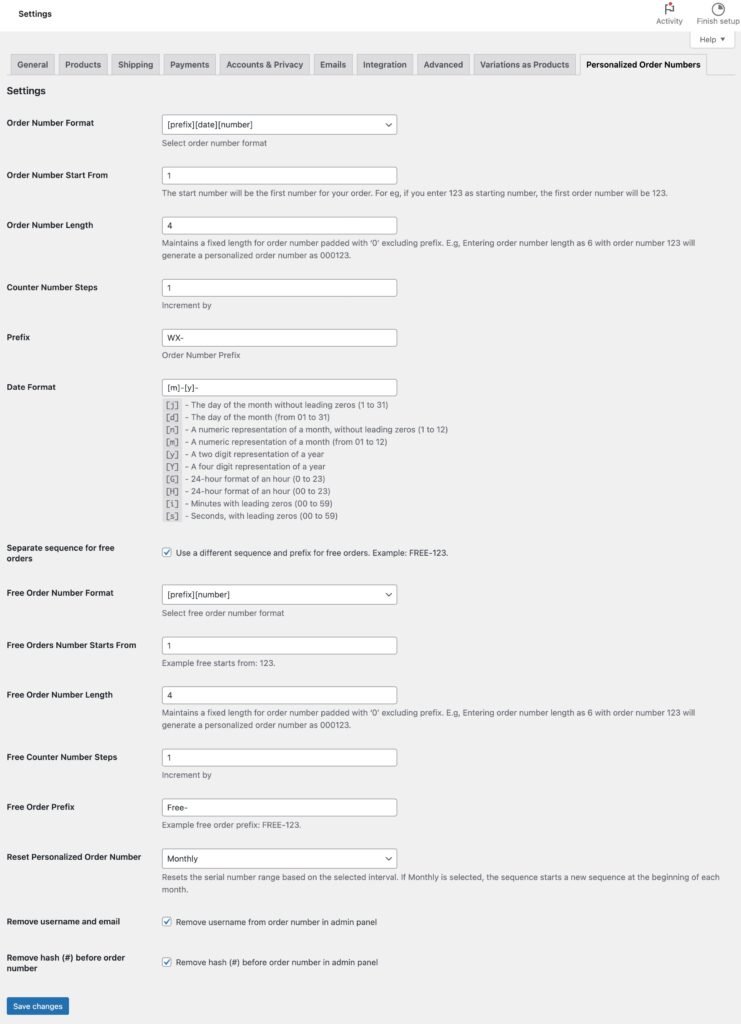
Now navigate to Dashboard > WooCommerce > Settings > Personalized Order Numbers Tab and configure the following settings.
After configuring the above settings, click on Save changes button. Now you can test the order number by creating an order. Go to shop and crate your order to view the Personalized order number.